
From raw data to store-level decisions
in four steps.
No data science team required. No months-long implementation.
Your planning cycle, made precise.
Connect Data
Unify all store and inventory data in one place.
Analyse
See what’s selling and where gaps exist.
Plan
Make smarter allocation and transfer decisions.
Act
Execute actions with clear recommendations.
Connect Your Data
What format does the data need to be in?
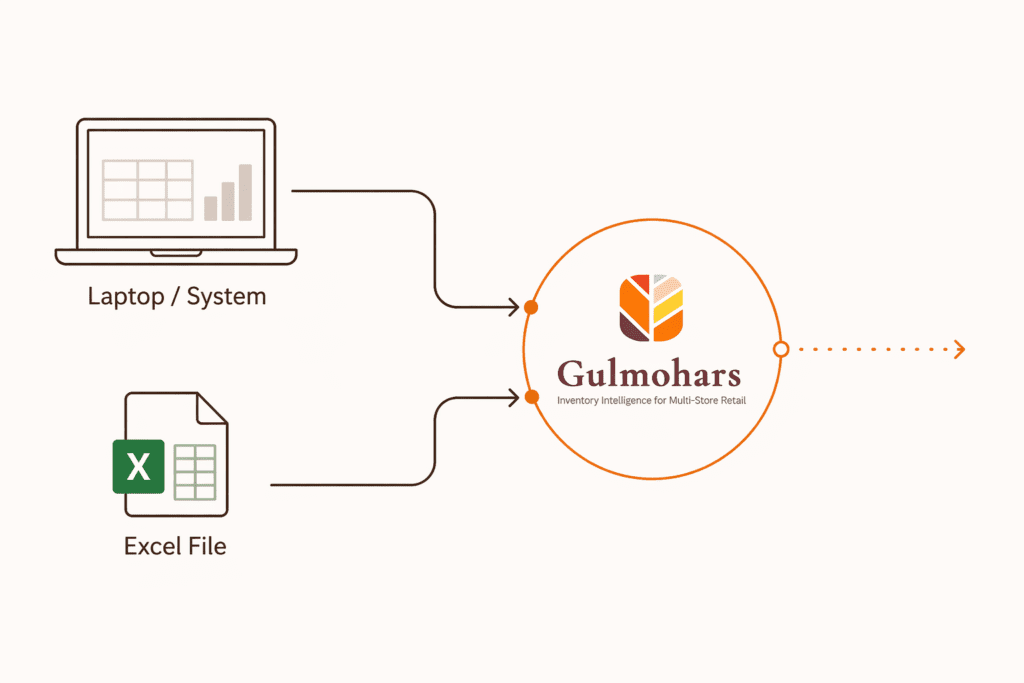
Upload data via Excel (CSV/XLSX) or connect your database directly.
We require four simple tables: Sales, Inventory, Product Master, and Store Master, with consistent IDs across all files.
Object
Required Fields
Format
Frequency
Sales
SKU Code, Store Code, Date, Quantity, Net Amount
CSV / XLSX
Daily
Inventory
SKU Code, Store Code, Stock-in-Hand, Stock Value
CSV / XLSX
Daily
Product Master
SKU Code, Category, Collection, Style, Size
CSV / XLSX
One-time / Updates
Analyse Your Network
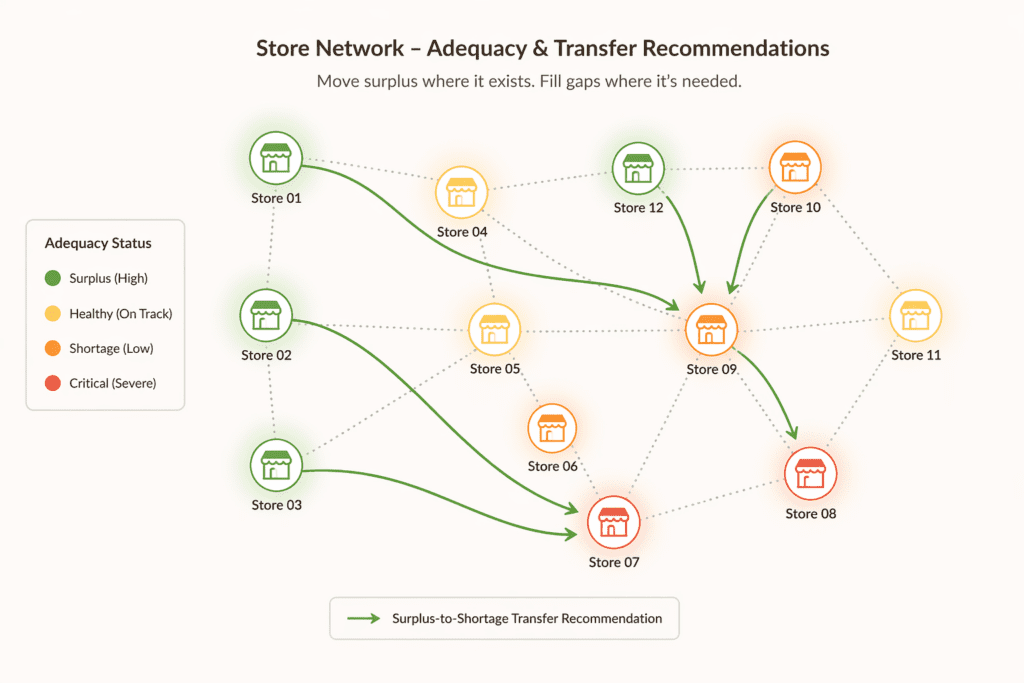
Gulmohars analyses your network at a store and SKU level to reveal how inventory is performing across locations. It evaluates velocity, detects exceptions, and applies forecasting to identify gaps, risks, and priorities. This enables faster, accurate decisions across stores.
Does this work for jewellery and apparel both?
Yes. Gulmohars is built for both jewellery and apparel retailers.
It handles category-specific needs like size, style, collections, and seasonal demand while keeping planning consistent across stores.
Category
Key Attributes
Planning Focus
Jewellery
Design, Weight, Purity, Collection
Depth planning, assortment balance, high-value stock control
Apparel
Size, Style, Color, Season
Size curves, trend alignment, seasonal demand planning
Review Recommendations
Can my team override recommendations?
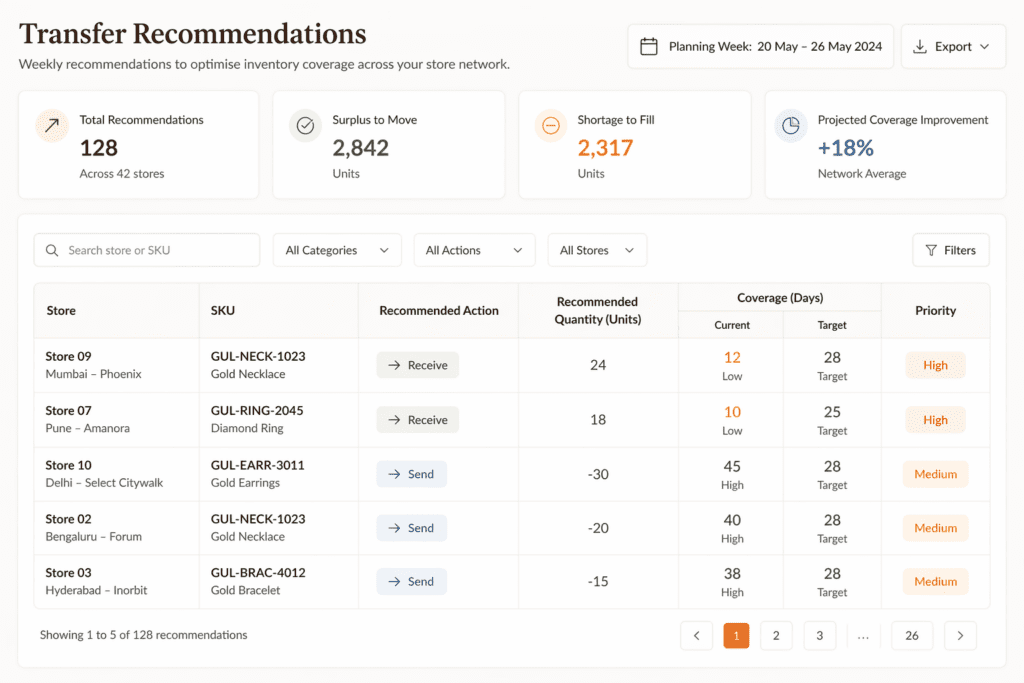
Yes. Your team can review, adjust, or override any recommendation before execution.
Gulmohars supports human decisions alongside system insights, so you stay in full control.
Aspect
Capability
Control Level
Decision Support
System provides insights alongside human decisions
Assisted Control
Flexibility
Decisions can be modified without breaking consistency
High Flexibility
Auditability
All overrides are visible and trackable
Transparent
Execute and Track
How often does the planning cycle run?
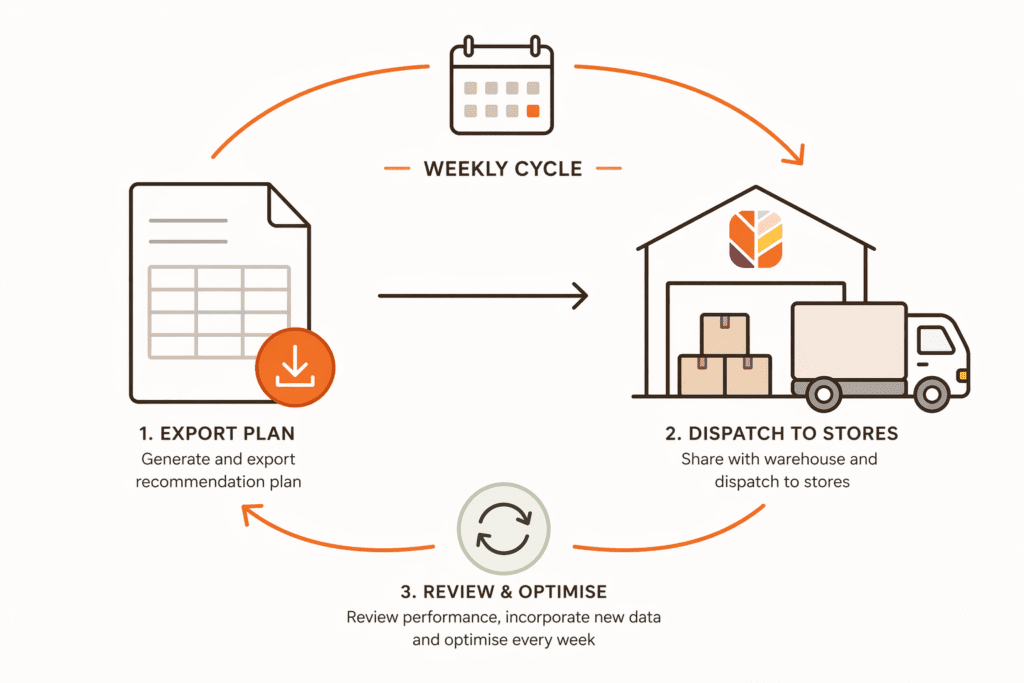
Planning is fully flexible. You can run it daily, weekly, or on demand, depending on how frequently your inventory changes.
Most teams follow a weekly planning rhythm, with the ability to refresh decisions anytime as new data comes in.
Mode
Frequency
When to Use
Flexibility
Daily
Every day
High-change environments, fast-moving categories
High
Weekly
Once per week
Standard planning rhythm for most retail teams
Balanced
On-Demand
As needed
Promotions, events, or sudden demand changes
Maximum
A Partner From Day One
Live in 6 Weeks
No big IT project. No rip-and-replace. We work in parallel with your business and IT teams so that when the data is ready, your team already knows exactly what to do with it.
Most multi-store retail ERPs have gaps: inconsistent SKU codes, missing transfer records, fields that were set up incorrectly years ago and never fixed. We know this before we start. In Weeks 3 to 5, we work through your data with your IT team and agree on how each scenario will be handled. This is documented and becomes part of your configuration.
Here is something worth remembering: today, without Gulmohars, your decisions are also being made on this messy data, just without any system flagging the gaps. Gulmohars makes the gaps visible, standardises how they are handled, and gives your team a process to close them. Most clients find their data quality improves significantly within the first three months simply because the gaps are now visible.
We will tell you honestly what we can produce with the data you have, before Week 6, not after.
Most implementations fail because the tool is ready before the business is. We build both tracks simultaneously so when the data is live, your team already knows exactly what to do with it.
ERP / System
• Any ERP (SAP, Tally, Oracle, etc.)
• Or Excel / CSV exports
• Database connection (optional)
Minimum Required Data
- Sales (5 fields): SKU Code, Store Code, Date, Quantity, Net Amount
- Stock / Inventory (4 fields): SKU Code, Store Code, Stock-in-Hand, Stock Value
- SKU / Product Master (6 fields): SKU Code, Category, Collection, Style, Size, Price
- Store Master (4 fields): Store Code, Store Name, City, Cluster
Sample Template
Implementation Responsibilities (RACI)
| Task | Client IT Team | Gulmohars Team |
|---|---|---|
| Data Extraction & Sharing | Responsible (R) | Consulted (C) |
| Data Validation & Cleaning | Consulted (C) | Responsible (R) |
| System Setup & Configuration | Informed (I) | Responsible (R) |
| Integration | Responsible (R) | Accountable (A) |
| Testing & Validation | Responsible (R) | Responsible (R) |
| User Training | Informed (I) | Responsible (R) |
| Go-Live | Accountable (A) | Responsible (R) |
| Post-Go-Live Support | Consulted (C) | Responsible (R) |
R = Responsible | A = Accountable | C = Consulted | I = Informed
Implemented in 6 Weeks

6 weeks
5 weeks

6 weeks

4 weeks

6 weeks
Weekly
Standard planning cycle cadence